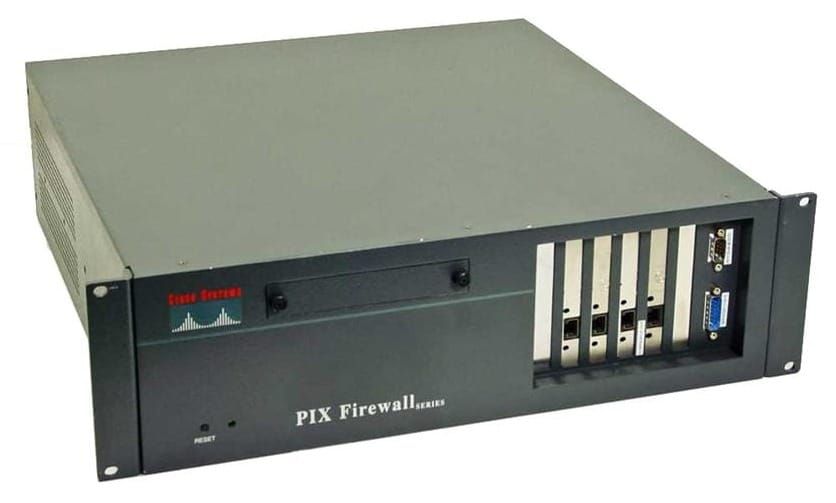
WSA - Identities and Policies

WSA Icon

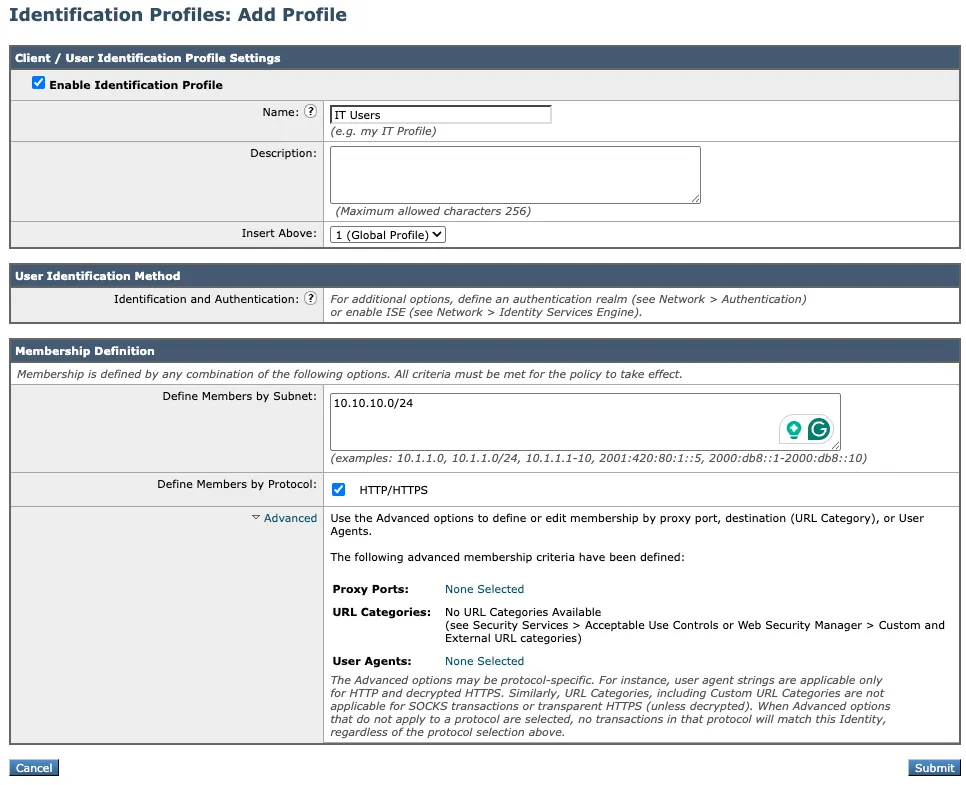
WSA Identities

Classified by

  • Source subnet
  • Protocol
  • Proxy Ports
  • User Agent
  • URL category

Web Security Manager > Identification Profiles
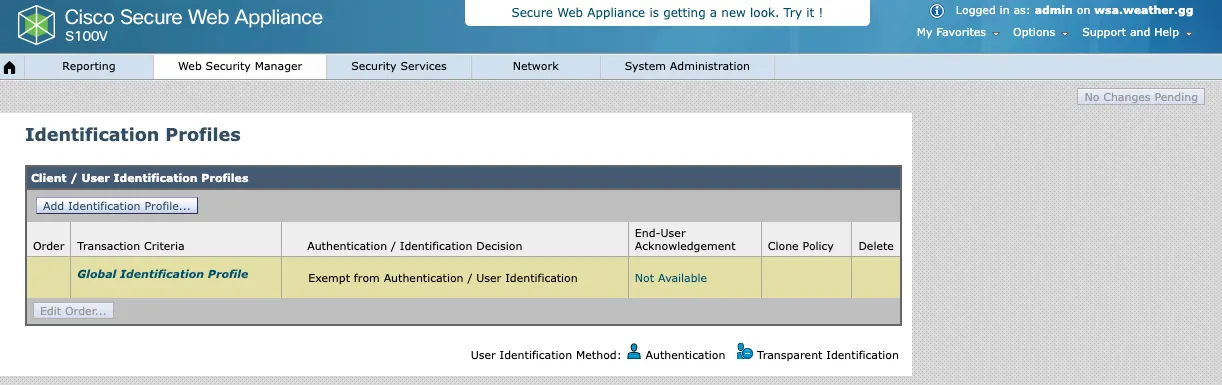
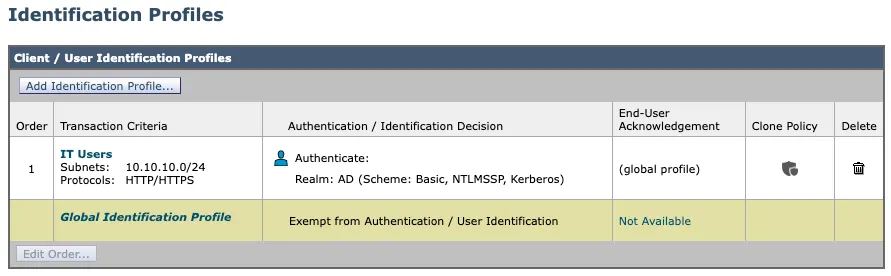
Identification Profiles
Add Identification Profile

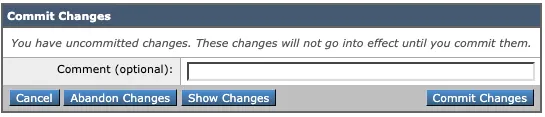
Any changes to the WSA are not applied until they have been committed.
Commit Changes Button
Commit Changes
Commit Changes

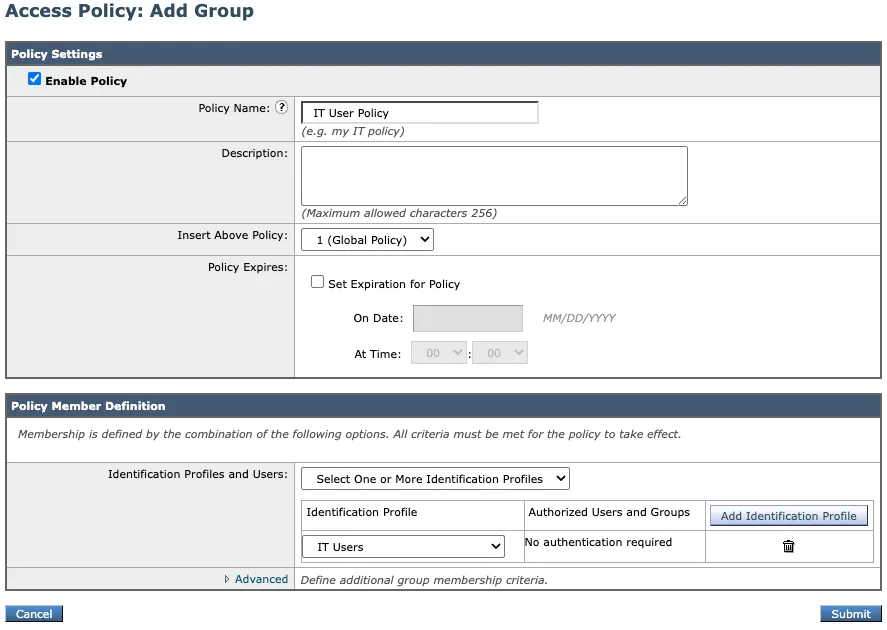
WSA Access Policy

Web Security Manager > Access Polices
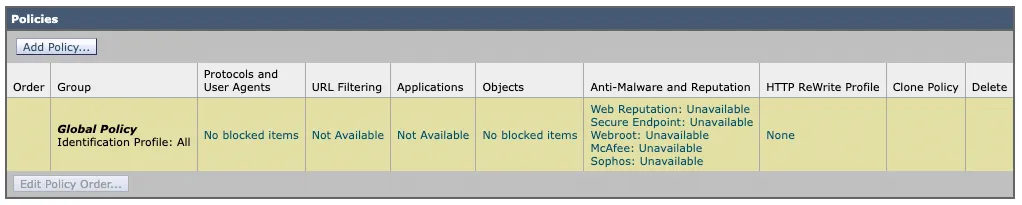
WSA Access Polices
WSA Access Polices
Add Policy
Add Policy

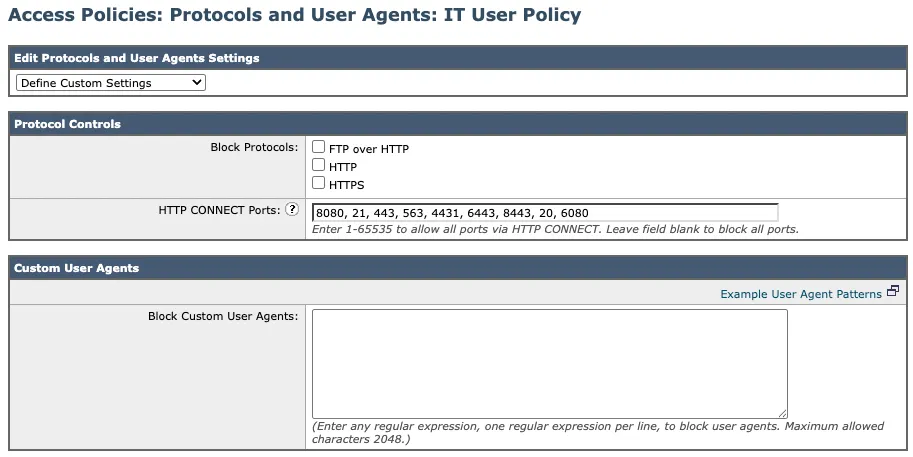
Protocols and User Agents

Protocols and User Agents

URL Filtering
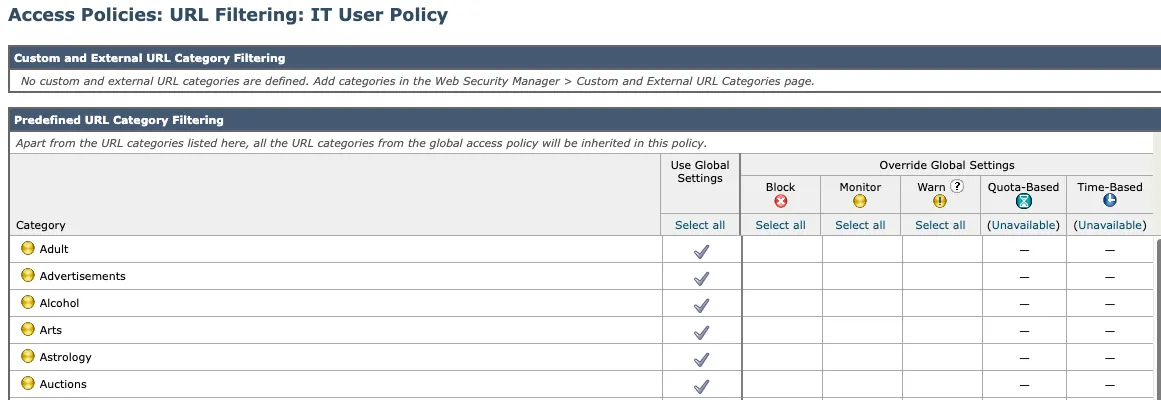
URL Filtering
URL Filtering
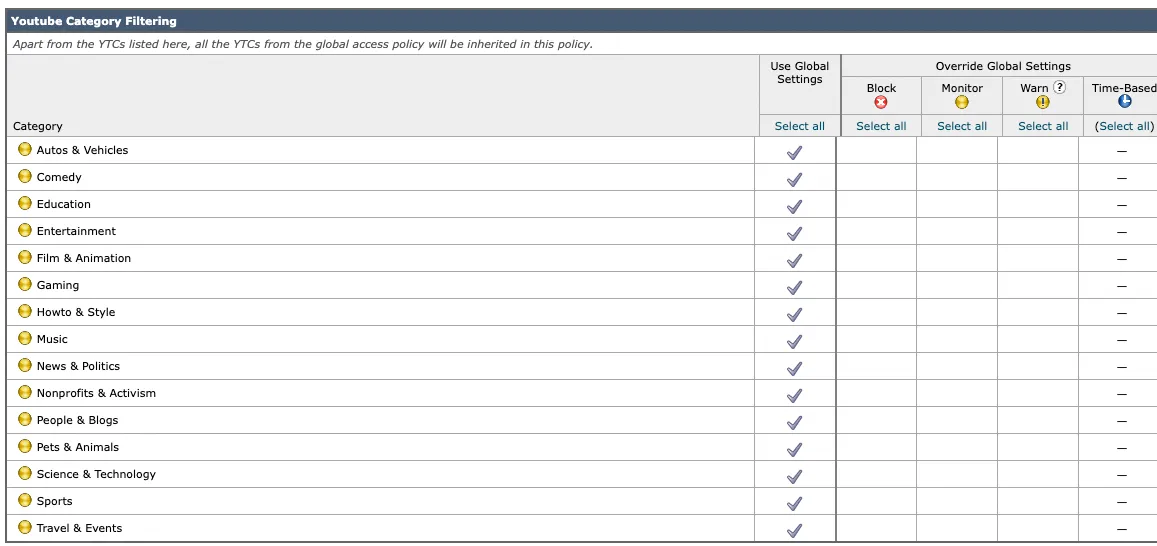
Youtube Category Filtering
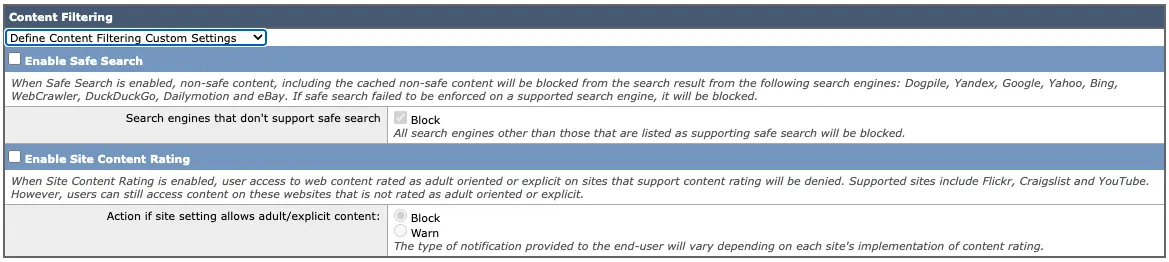
Content Filtering
Content Filtering

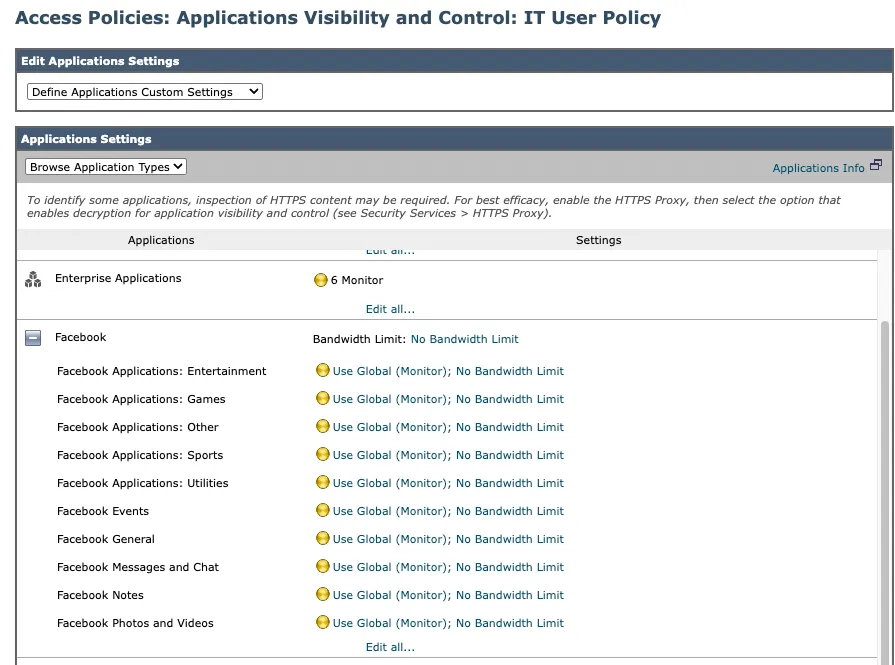
Applications

Applications Visibility and Control

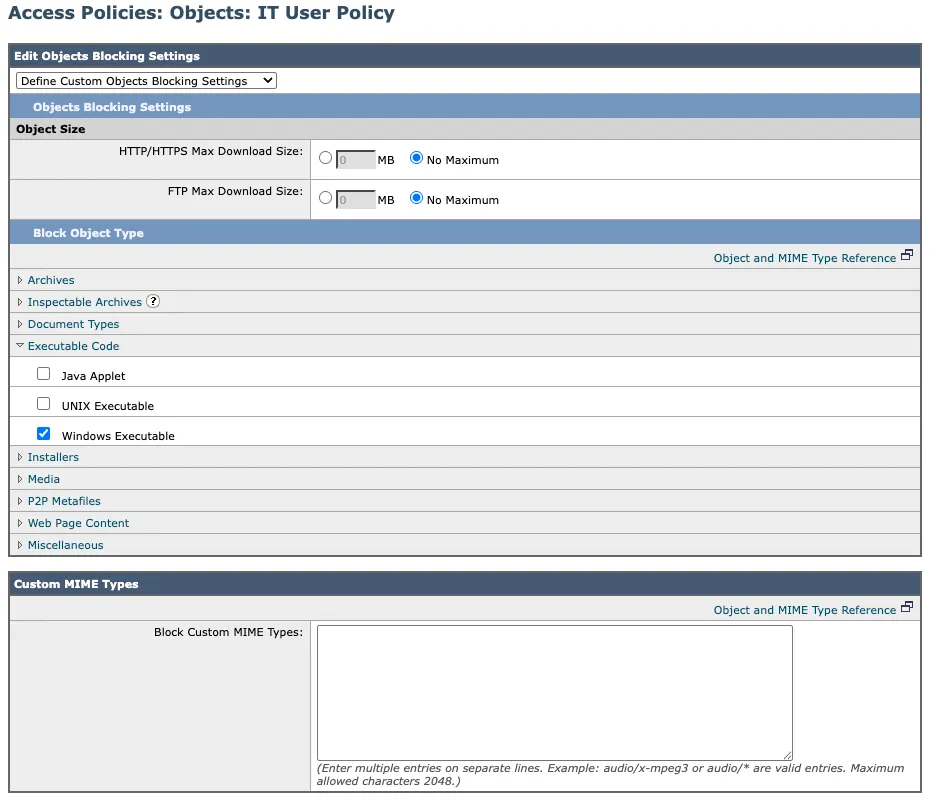
Objects

Objects
Objects

Anti-Malware and Reputation
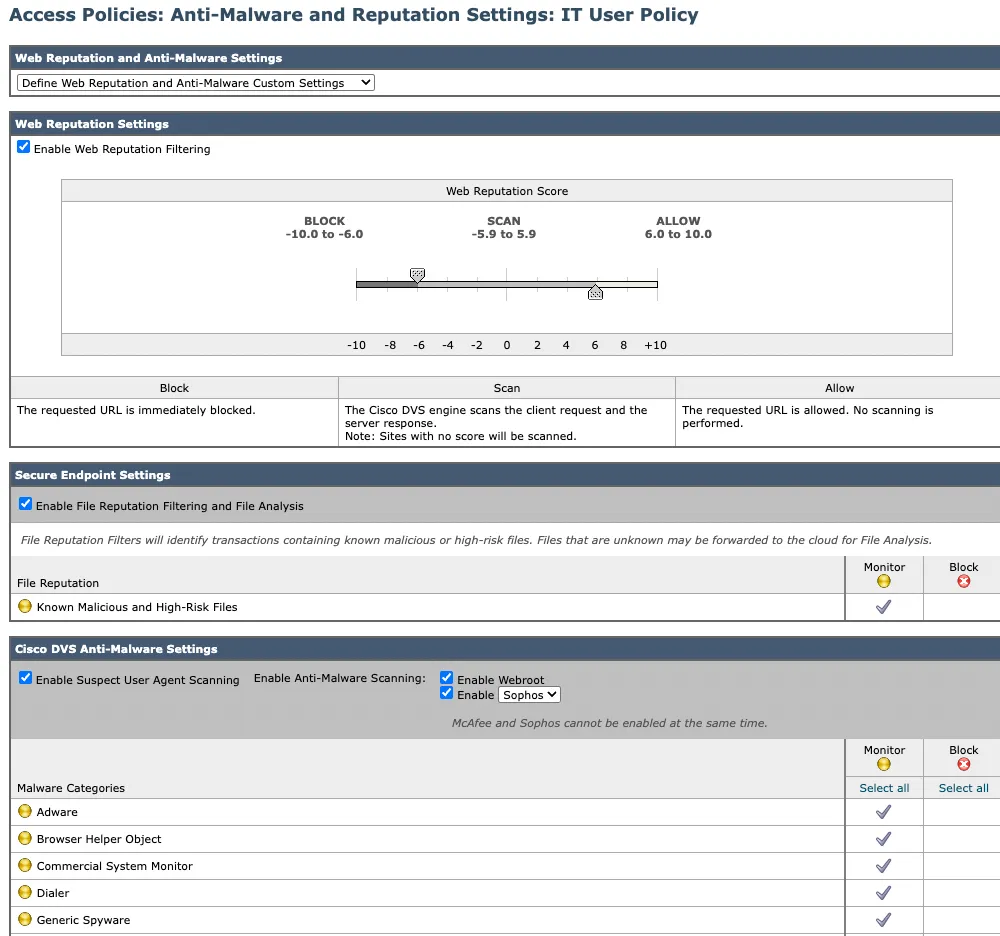
Anti-Malware and Reputation

To test policies use: Systems Administration > Policy Trace

WSA User Authentication

  • pop-up login box
  • Explicit proxy mode - Authenticate (407)
  • Transparent proxy mode - redirect (307)
  • NTLM: uses single sign-on

Network > Authentication
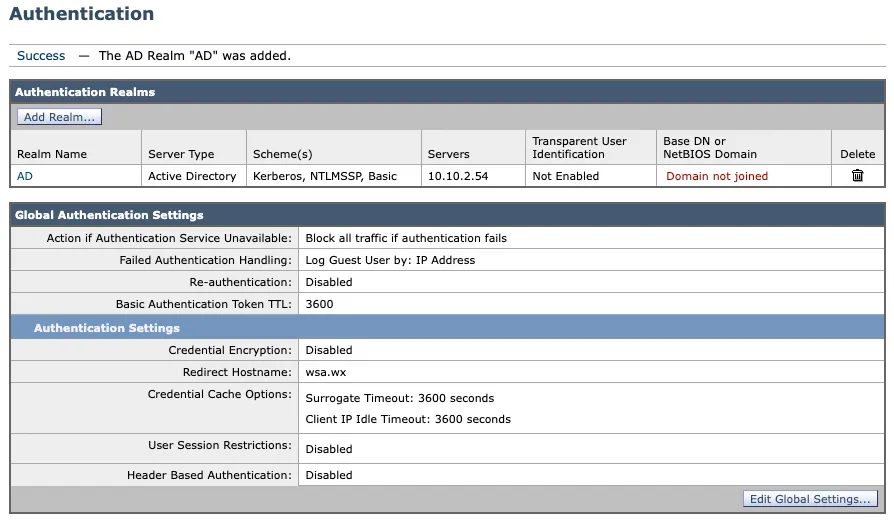
Authentication
Authentication

Edit the identification profile to include authentication
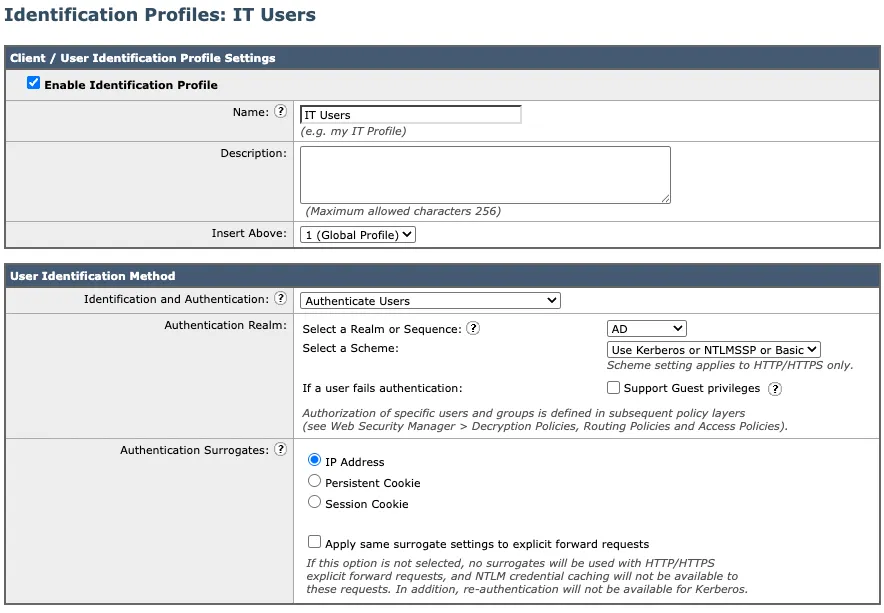
Identification profile with authentication
Identification profiles with authentication