PIX - Routing
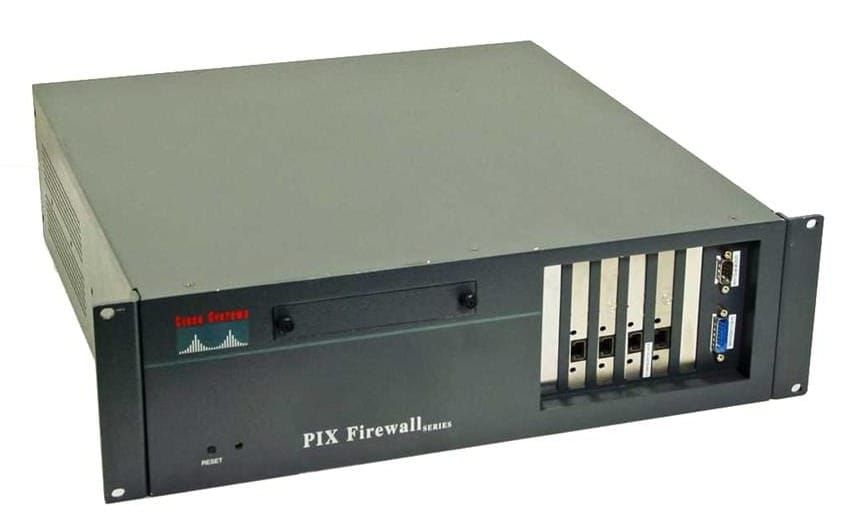
- VLANs offer multiple logical interfaces on a single interface
- Only 802.1Q VLANS are supported (No ISL)
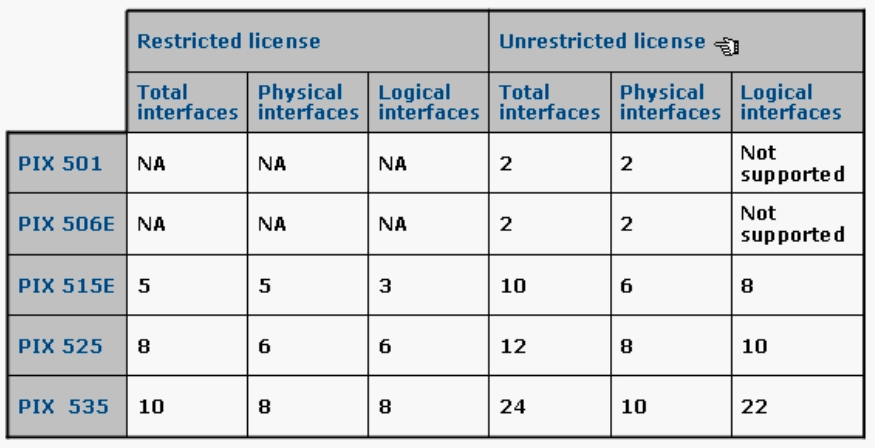
- Not supported on PIX 501 or 506/506E
- Does not participate in bridging protocols and only shows VLANs on the LAN trunk
interface ethernet3 100full
interface ethernet3 vlan10 physical
interface ethernet3 vlan 20 logical
interface ethernet3 vlan 30 logical

nameif vlan20 DMZ20 security20
nameif vlan30 DMZ30 security30

ip address DMZ10 172.16.10.1 255.255.255.0
ip address DMZ20 172.16.20.1 255.255.255.0
ip address DMZ30 172.16.30.1 255.255.255.0
Default Route and static routes
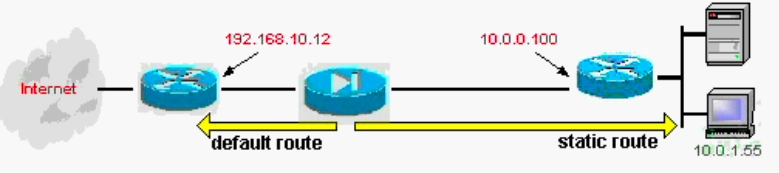
route outside 0.0.0.0 0.0.0.0 192.168.10.12 1

route inside 10.0.1.0 255.255.255.0 10.0.0.100
RIPv2
PIX does not propagate RIP updates between interfaces, but it can broadcast its own address as a default route.
rip outside passive version 2 authentication md5 CISCO123 2

rip inside default
OSPF
PIX 6.3 supports,
- Intra-area, Inter-area, external (Type 1 +2), STUB, and NSSA
- virtual links
- OSPF Packet Authentication
- PIX can be DR, ABR, ASBR
- LSA filtering and route redistribution
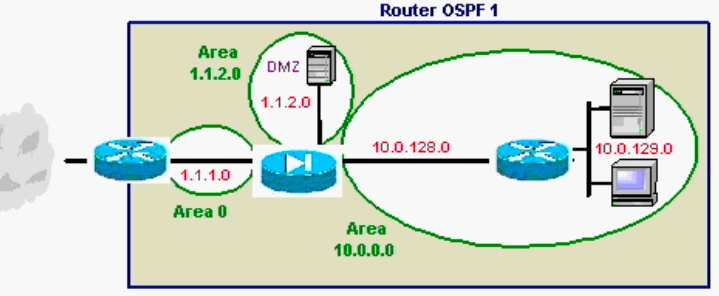
router ospf 1
  network 1.1.1.0 255.255.255.0 area 0
  network 1.1.2.0 255.255.255.0 area 1.1.2.0
  network 10.0.0.0 255.0.0.0 area 10.0.0.0
  area 0 filter-list prefix INTERNAL in

prefix-list INTERNAL deny 10.0.0.0/16
prefix-list INTERNAL permit 1.1.2.0/24

static (inside,outside) 1.1.1.2 10.0.129.55 255.255.255.255
static (dmz,outside) 1.1.3.2 1.1.3.2 255.255.255.255
nat (inside) 1 0 0
global (outside) 1 1.1.1.54-1.1.1.254