Palo Alto - Firewall Networking

The default IP is 192.168.1.1. For the VM appliance, it defaults to DHCP
Can’t log in until prompt shows, PA-VM login:
The default user and password are admin
It will force you to change the password on login
Changes don’t take effect until you commit.
show config running
show interface management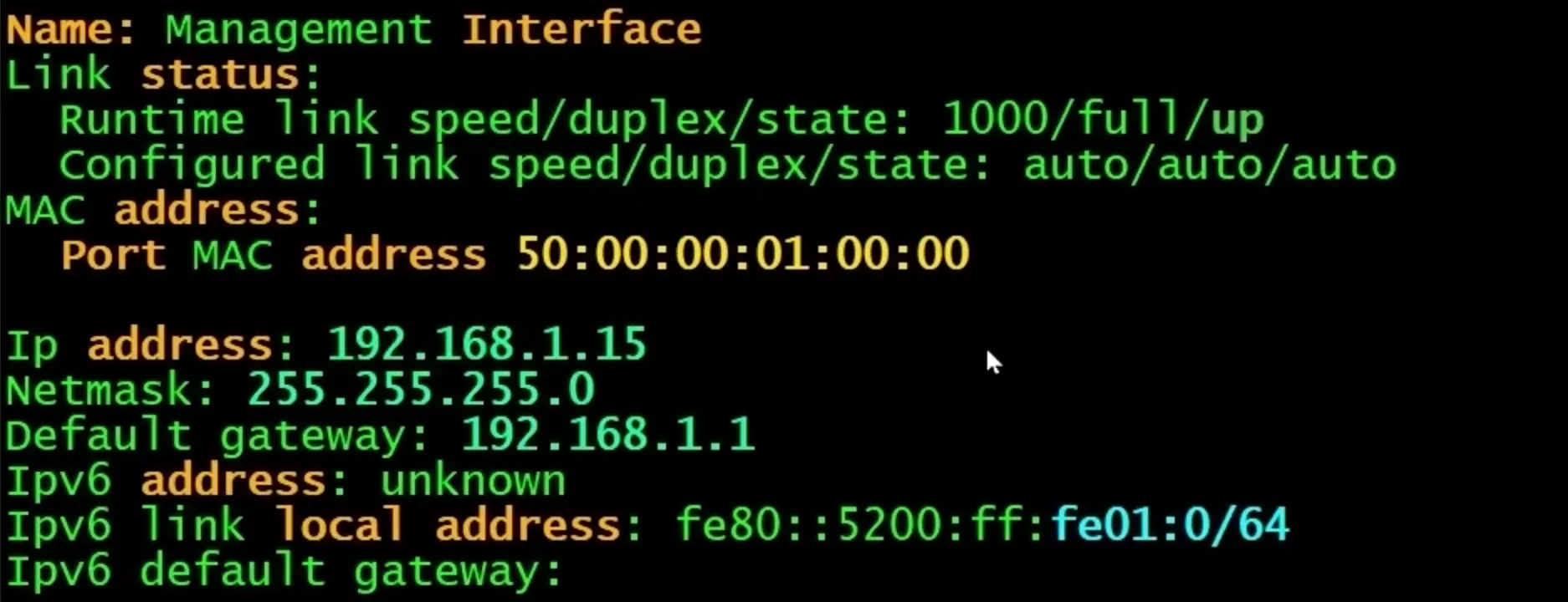
configure
  set deviceconfig system ip-address 192.168.1.11 netmask 255.255.255.0
  set deviceconfig system default-gateway 192.168.1.1
  set deviceconfig system dns-setting server primary 8.8.8.8
  set deviceconfig system type static
commit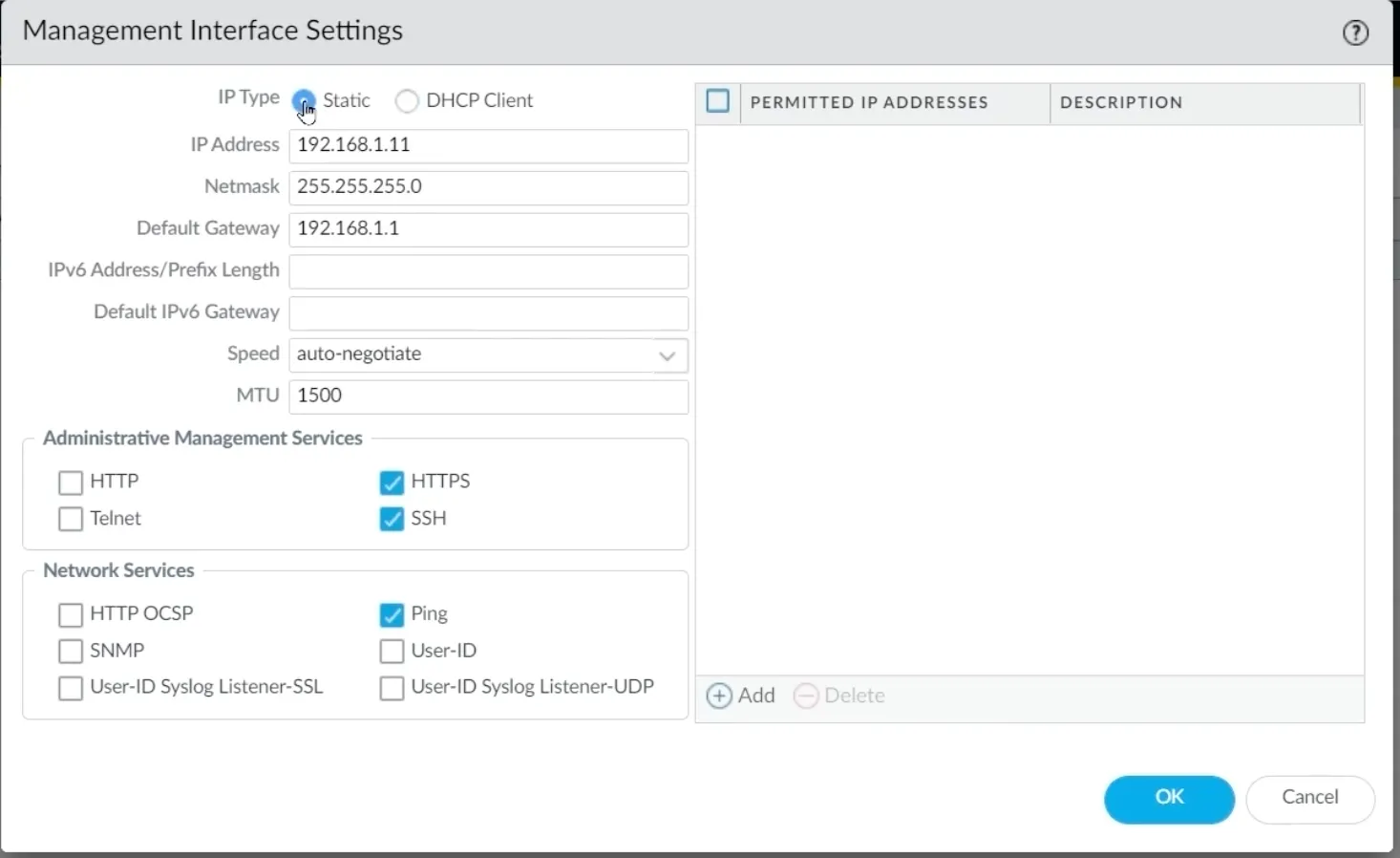
Palo Alto Setting Management IP
L3 Security Zones
Network > Zones
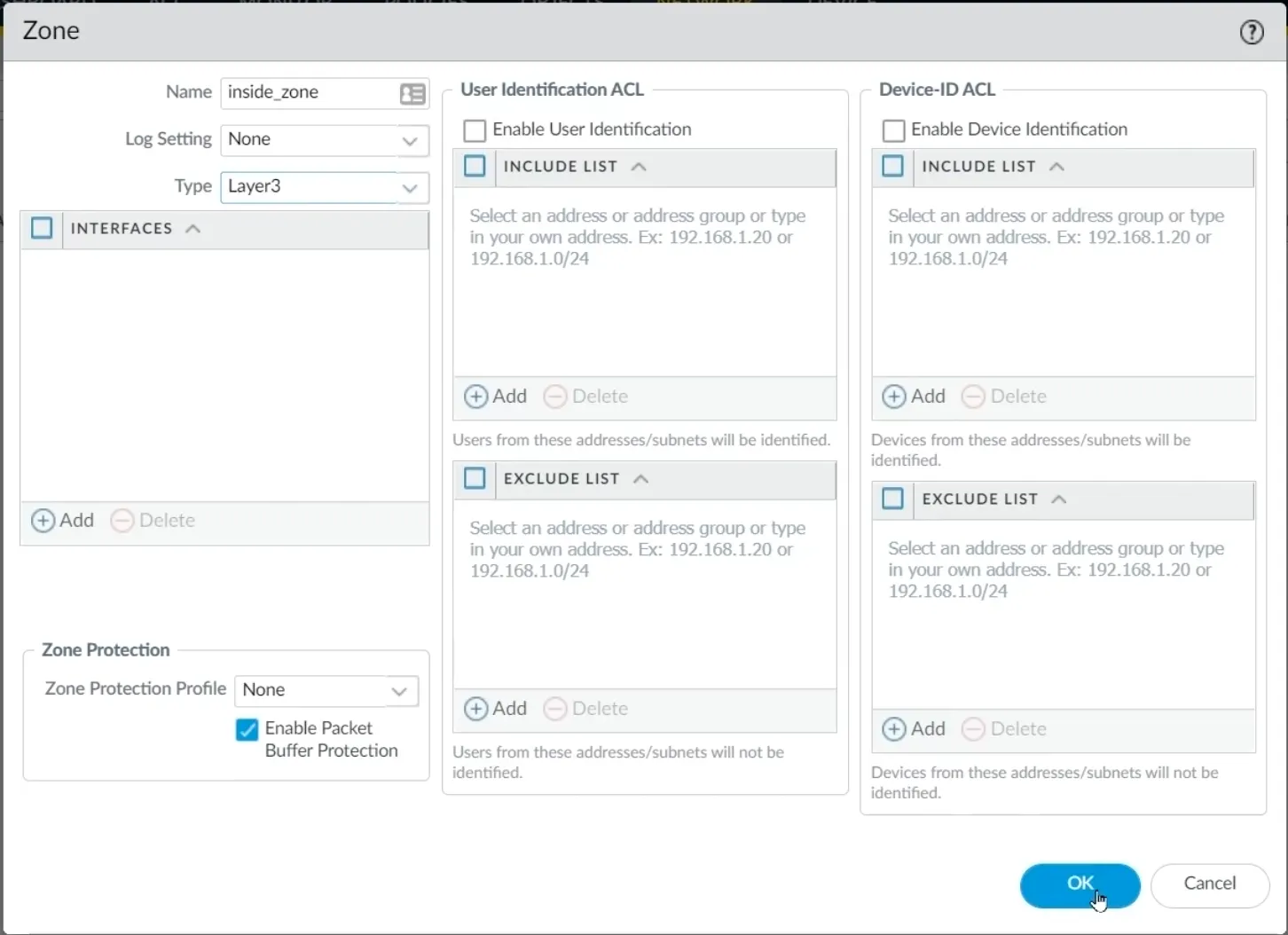
Palo Alto Creating Zones
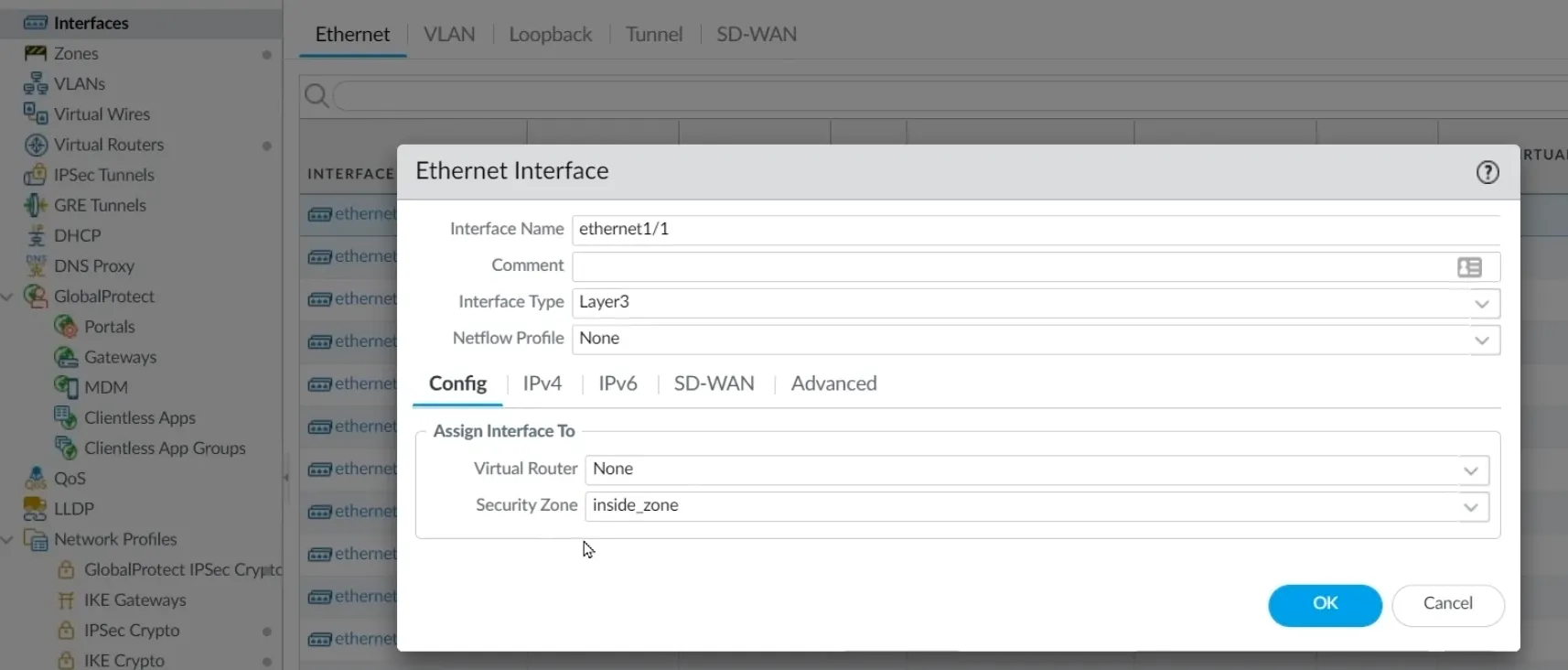
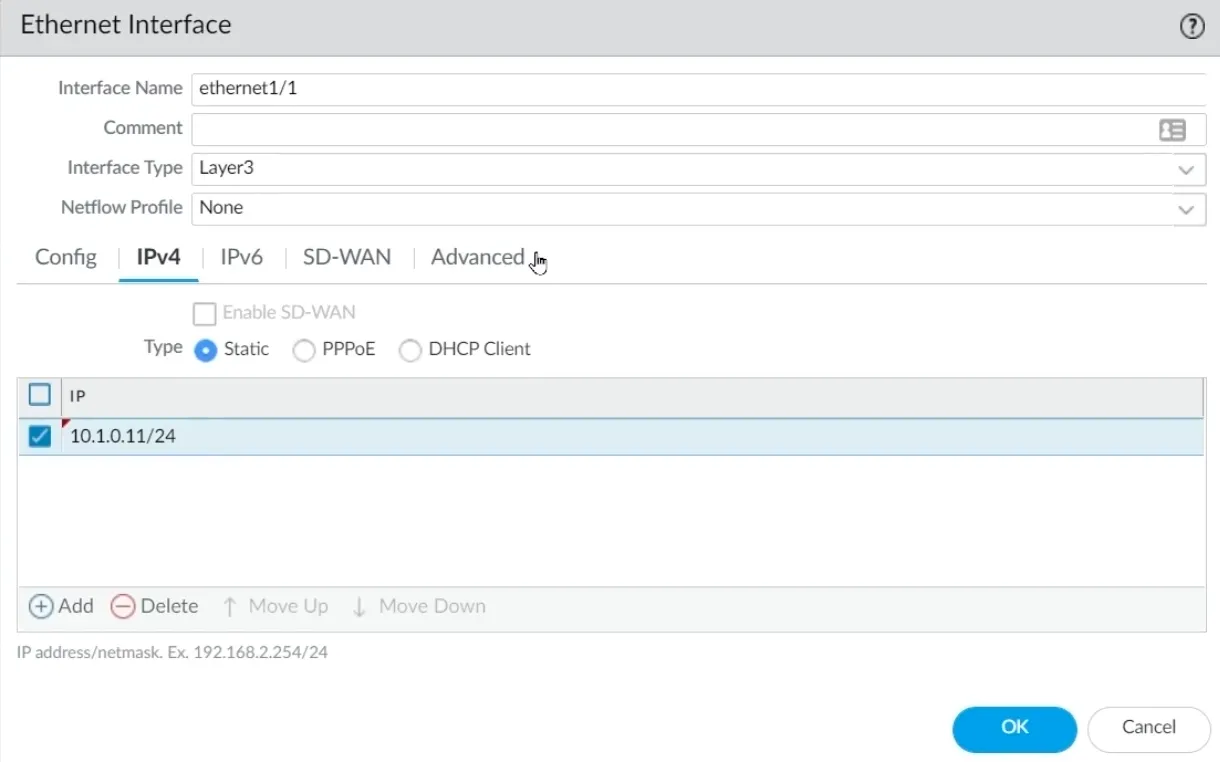
L3 Interfaces
Network > Interfaces

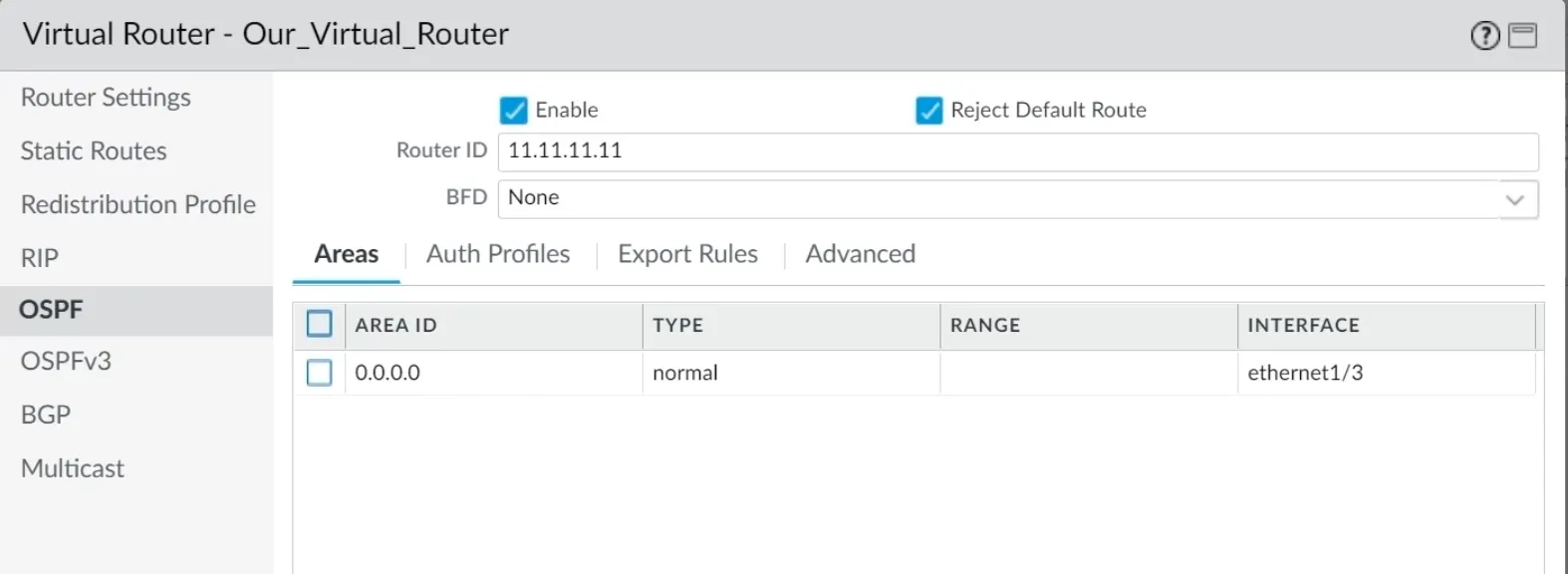
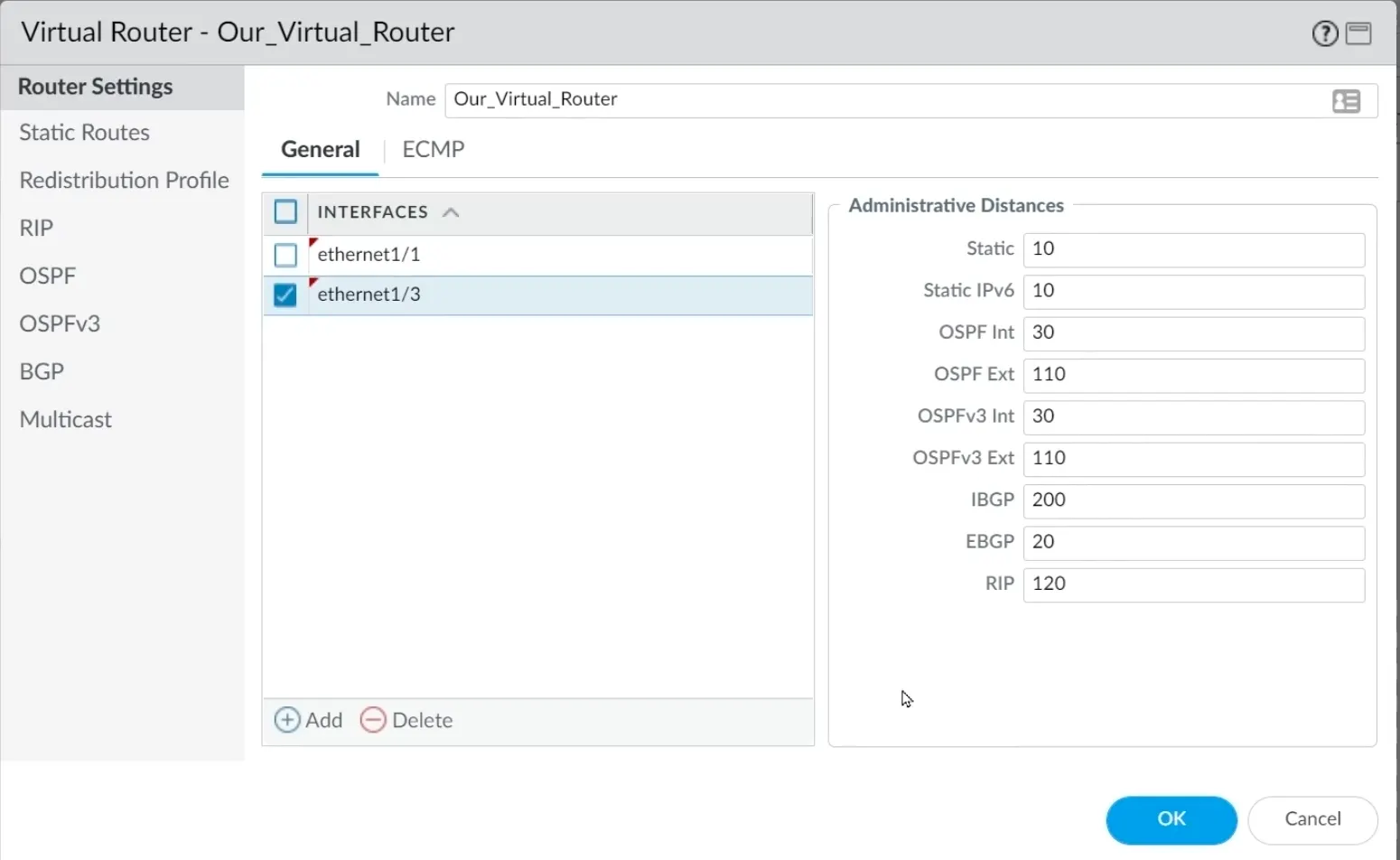
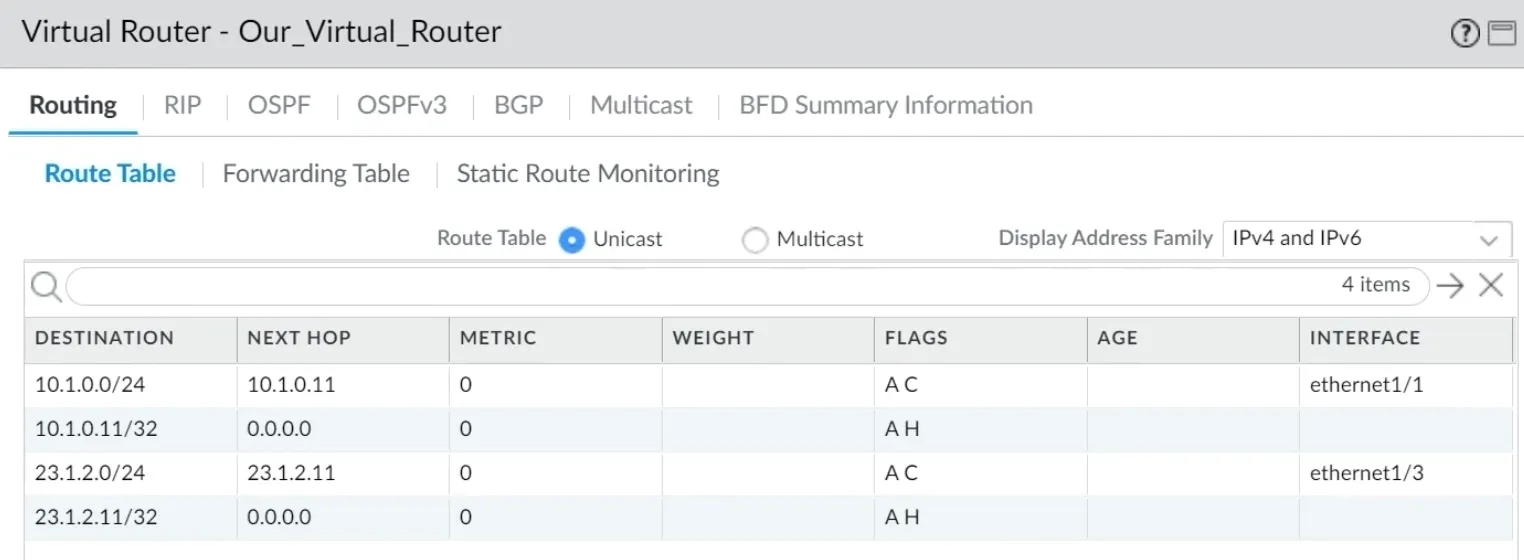
Virtual Router
interfaces are added to a virtual router, which acts like a VRF to isolate routes.
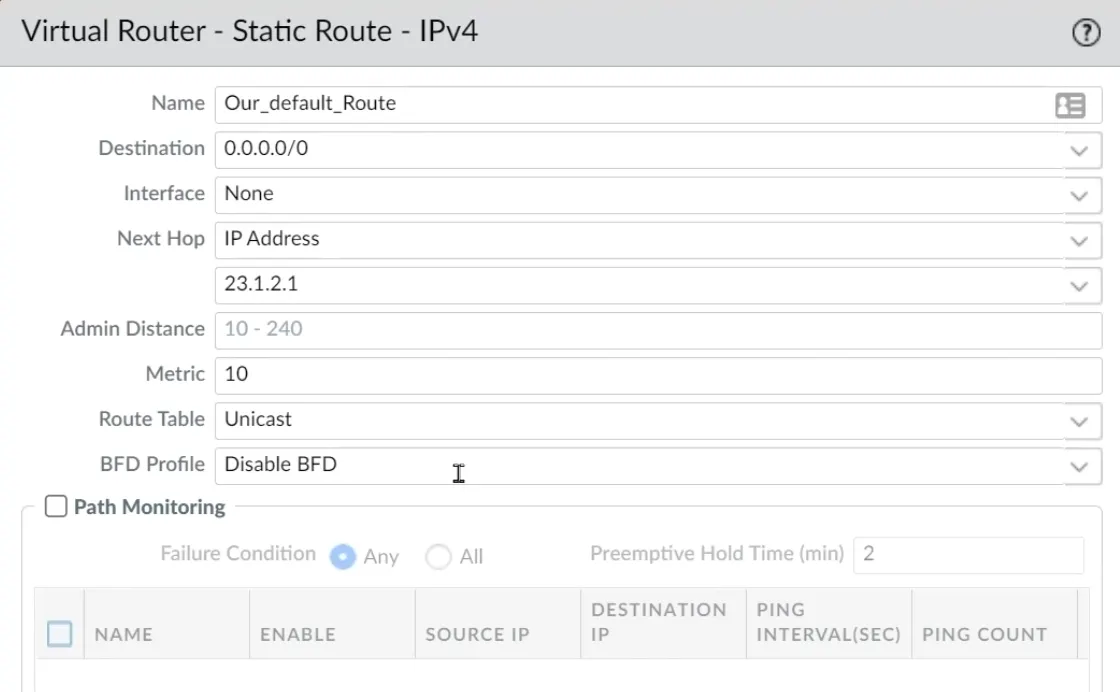
Static Route
Static routes are added within the virtual router.
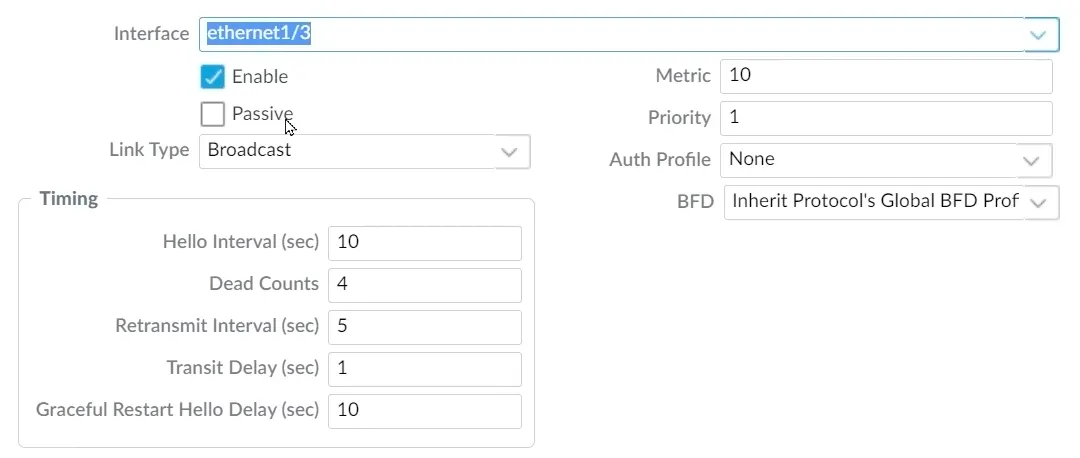
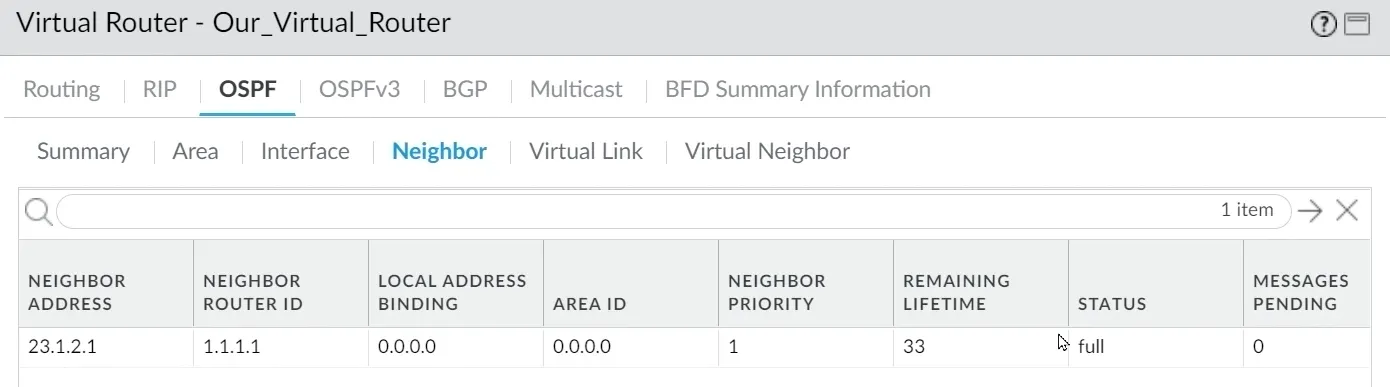
Dynamic Routes
Dynamic routing protocols are configured within the virtual router.