ISE - 802.1x Wired Authentication

EAP - Extensible Authentication Protocol Framework
VLAN, ACL, Time-based Access, TrustSEC, EAP-TLS, EAP-MSCHAPv2, EAP-FAST, LEAP, PEAP
Switchport modes,
- single-host - single MAC address
- multi-host - first MAC authenticates to open the port, other MACs are then allowed
- multi-domain (MDA) - Voice and Data, single data MAC address + single voice MAC address
- multi-auth - each MAC needs to authenticate
Monitor mode (Open) - Authentication is running, but the port is still open even if the authentication fails, used for testing/rollout.
Switch configuration
Assumes RADIUS server has already been configured.
 Craig Garnham
aaa authentication dot1x default group radius

aaa authorization network default group radius

aaa accounting dot1x default start-stop group radius

!! Include endpoint IP in authentication request
radius-server attribute 8 include-in-access-req

dot1x system-auth-control


int gi0/1/1
  switchport host
  authentication host-mode multi-auth
  authentication open
  authentication periodic
  authentication timer reauthenticate server
  dot1x pae authenticator
  dot1x timeout tx-period 10
  authentication port-control auto
Show configuration
show dot1x all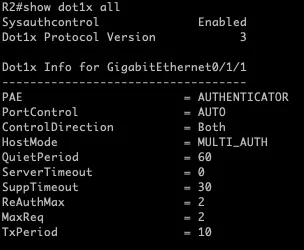
Windows Client Configuration
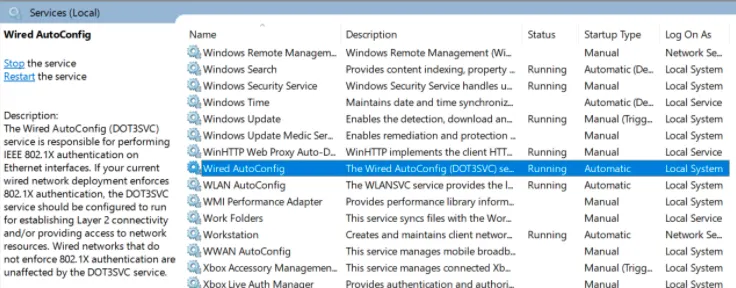
Wired AutoConfig service needs to be changed to Automatic and started.
Network Adapter Settings
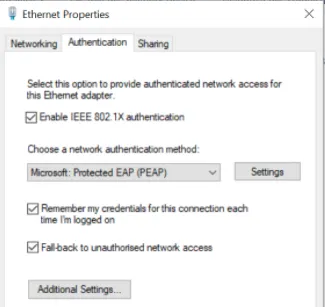
Enable Authentication and select Microsoft PEAP
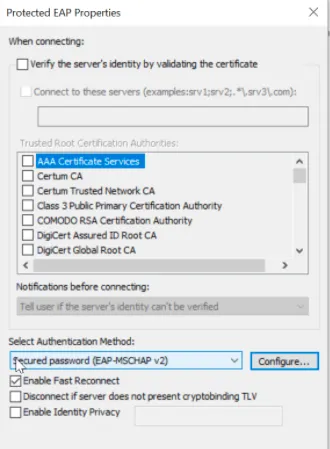
In the PEAP settings, disable server certificate verification for testing, as the certificate has not yet been configured.
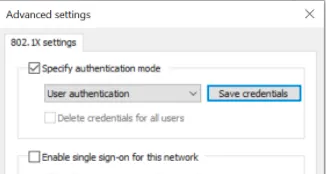
On Advanced settings, select User authentication and Save credentials.
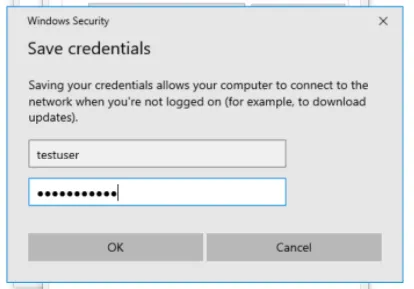
End the details of the network user created in ISE.
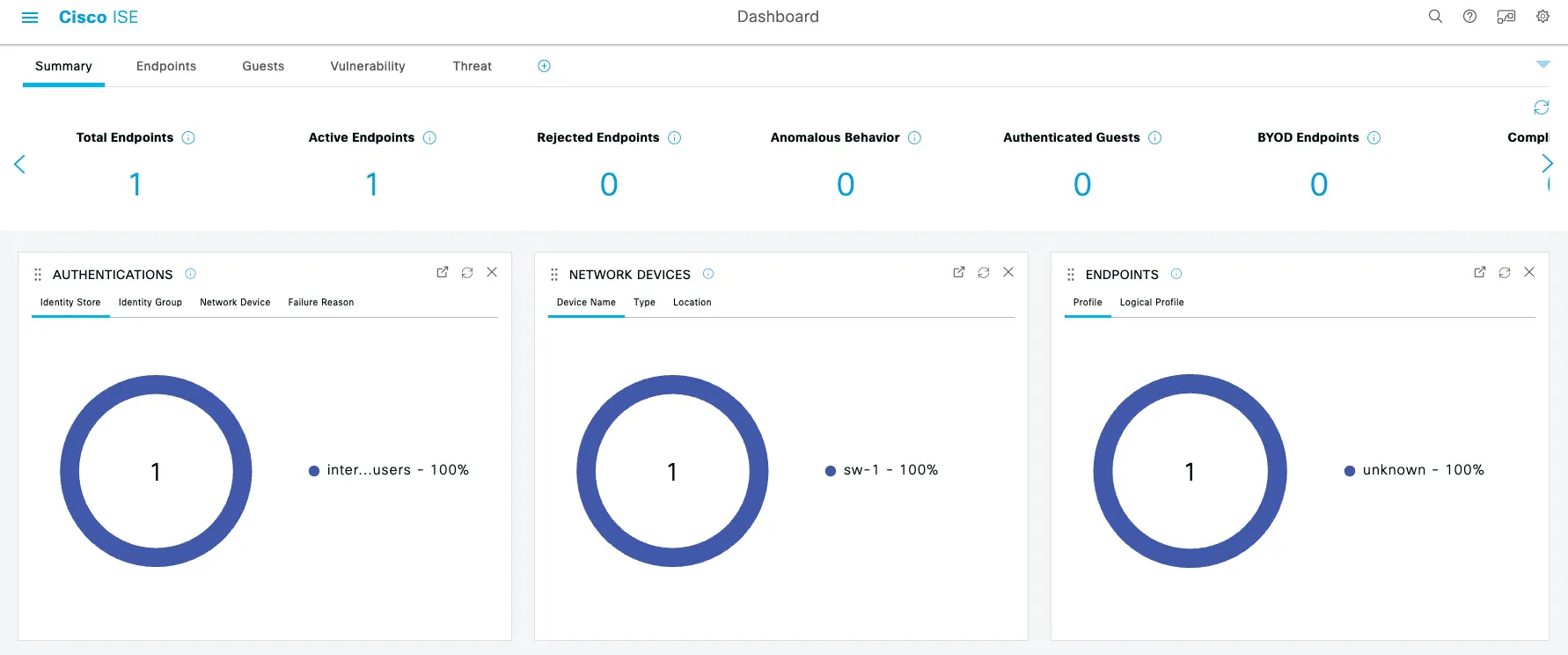
The PC should now connect to the network.
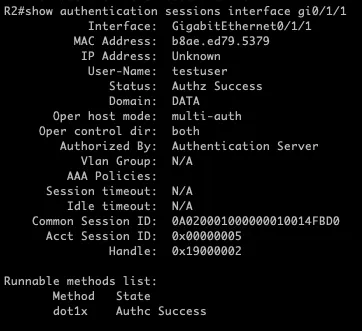
Switch Verification
show authentication interface gi0/1/1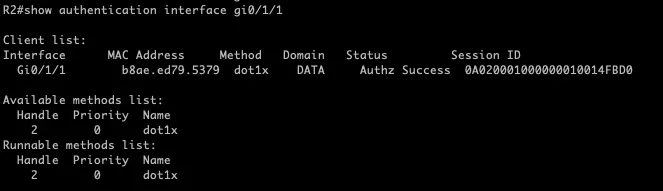
show authentication session interface gi0/1/1