ISA 2004 - Client Types
There are three types of ISA clients; most clients will be more than one type.
SecureNAT Clients
- No client installation
- Supports any operating system
- Requires application filters for multi-port apps
- No user authentication (Except VPN clients)
- Supports ICMP and GRE protocols
Web Proxy Clients
- No client installation, minor configuration
- Supports all CERN-compatible web applications
- Only supports HTTP, HTTPS, and FTP
- Supports Web app-based user authentication
Firewall Clients
- Requires client installation
- Only supports Windows applications
- Supports all Winsock applications
- Supports user-based permissions
SecureNAT Client Configuration
The client's default gateway is pointed to the ISA server
Limited when working with complex protocols like voice over IP, unless the application works with a SOCKS proxy
Web Proxy Client Configuration
All HTTP sessions for SecureNAT Clients are automatically forwarded to the web proxy service.
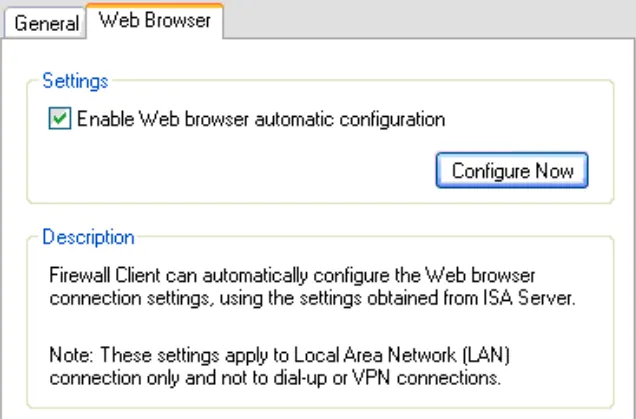
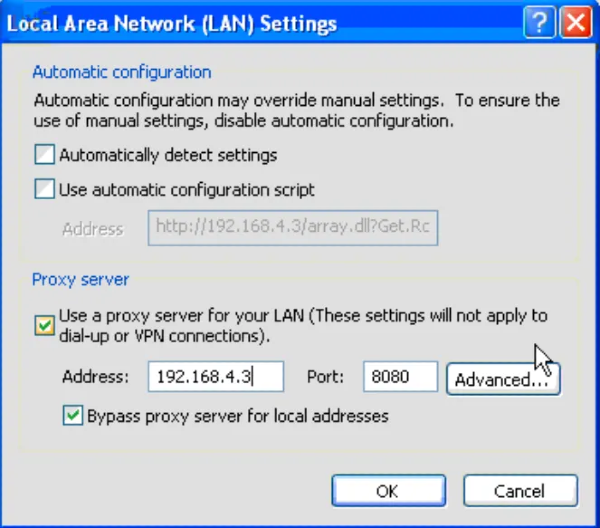
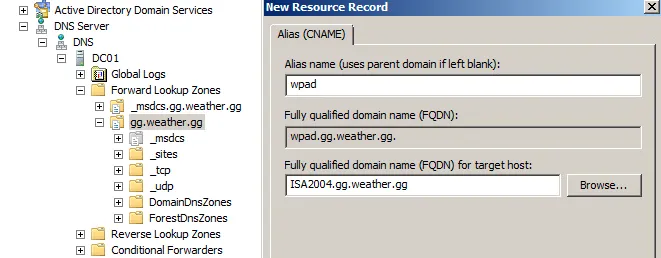
Can be manually or automatically configured through a Web Proxy Auto-Discovery (WPAD) DNS/DHCP entry.
Manual Proxy configuration on a client
Automatic Proxy Configuration
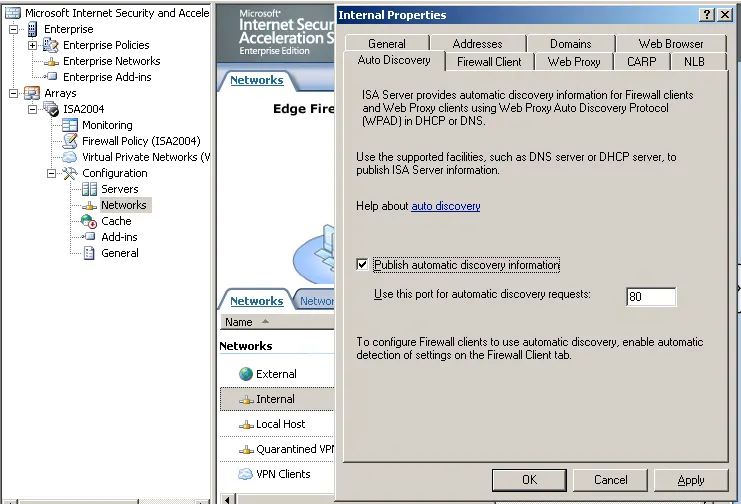
- Enable Auto Discovery on the ISA Server network properties
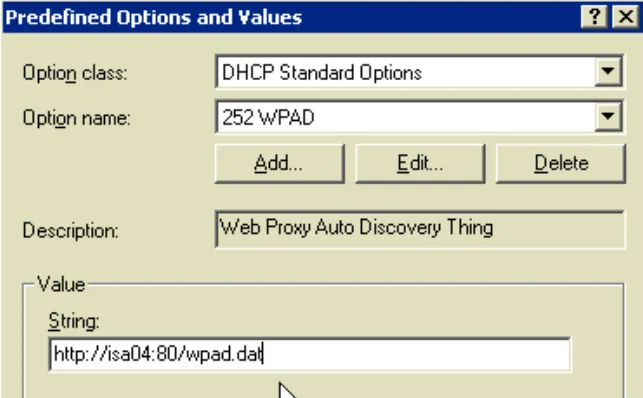
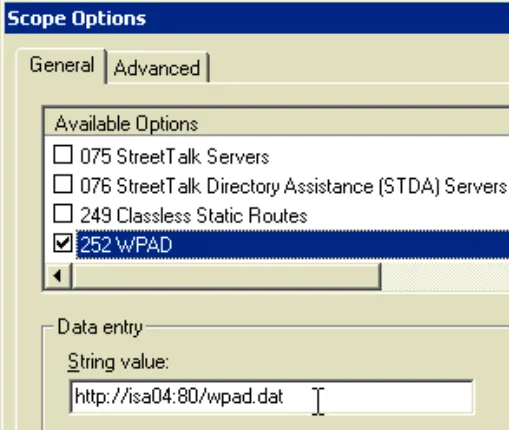
- Add DHCP option 252
Create a new option type, as 252 is not included by default
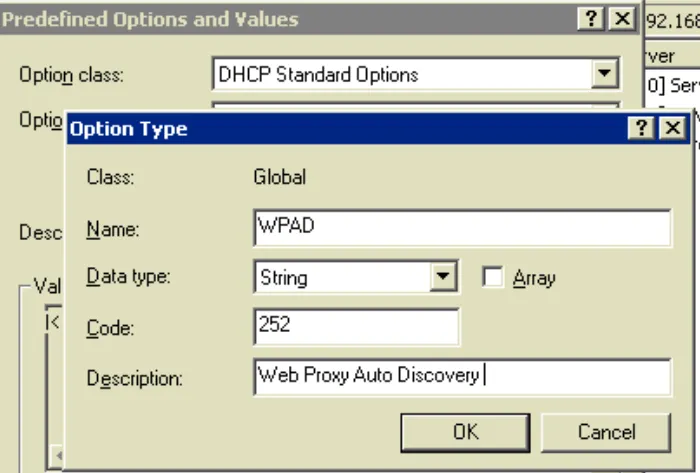
Set the predefined string to point to the wpad.dat file on the ISA server
Add the option to each DHCP scope
- Create a wpad CNAME for each DNS suffix pointing to the ISA server
Firewall Client Installation
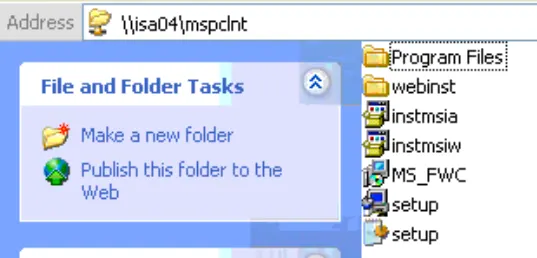
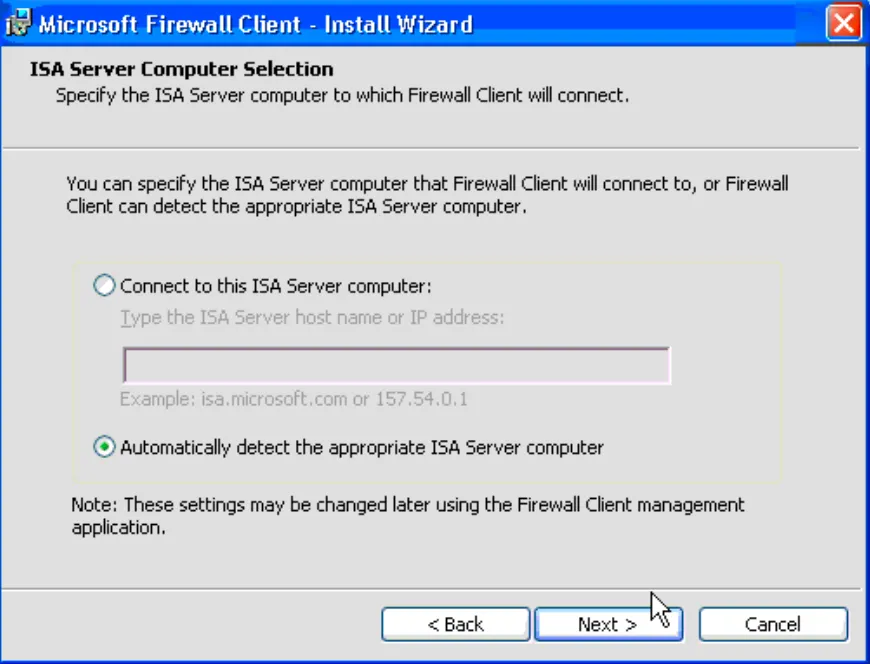
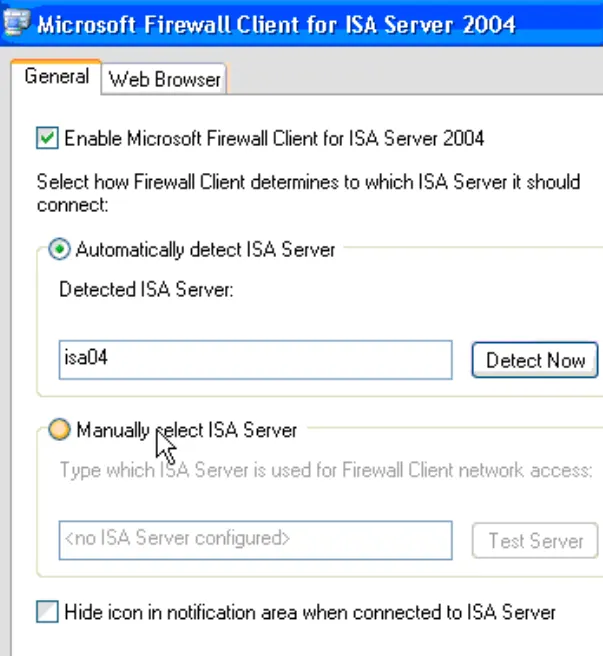
Does not require a restart like previous versions. Run setup from the share created during the ISA Server installation.